Digital literacy isn’t about which dashboard you login to. It is about the workflow. The mess behind the scenes.
The EdTech Blind Spot
We feed students tools. Constantly. More portals. More AI. More dashboards. But try asking one to submit a clean, usable PDF. Half can’t do it.
That sounds too basic to discuss, which is precisely why we ignore it.
Look at the chaos. A student scans homework; the result looks like it was taken through a window at night. Someone saves a file as assignment-final-REAL-V3.pdf. A teacher gets a five-hundred-megabyte PDF uploaded seconds before the clock hits zero, only for the portal to reject it. They asked for text they can highlight; they get a picture of text trapped in a PDF shell. A kid uploads their ID to some random “compressor” website found via Google.
Why? Because no one explained that was dangerous.
These aren’t anomalies. This is the baseline of modern education. It exposes a uncomfortable truth about our tech strategy.
Tools Don’t Make Users
When a classroom hits a snag, the instinct is to add software. Need better notes? App. Need to scan? App. Need AI to fix the scan? Another app.
Tools don’t create fluency. Fluency comes from knowing how to prepare the artifact, not just open the app.
Logging into an LMS doesn’t mean you are digitally literate. It means you can click a button. Literacy involves the boring stuff. Naming the file so the teacher isn’t hunting for it. Checking the scan quality. Reducing the file size. Separating drafts from finals. Understanding that a searchable PDF isn’t just an image with a different extension.
This isn’t exciting. It makes for terrible marketing decks. But this is the reality students face daily. Lectures, grants, certificates, applications. It all goes through the same grinder.
Privacy Is Usually an Afterthought
Let’s talk about risk.
Schools preach generic safety. Don’t share passwords. Beware scammers. Fine. But nobody connects those words to the specific files kids hold.
A scanned medical record. A bank statement for a scholarship. A transcript. These aren’t just “files.” They are data points. If a tool solves an immediate formatting problem, students will use it. It’s understandable. It’s also risky.
The question shouldn’t be “Which app is free?” It should be “Where does this sensitive data live once I upload it?”
Students treat a worksheet and an ID badge as equivalent data. They need to learn that they aren’t. Not every document belongs in every cloud folder, especially five minutes before deadline when panic sets in.
The Cost of Mess
Teachers absorb the hit.
It’s not just grading. It’s the friction. Opening a file and realizing it’s unreadable. Trying to search a term and hitting a brick wall. Finding a photo-of-a-page inside a PDF. Leaving feedback on Version 1 while the student has silently emailed Version 2.
It eats minutes. Hours. That is teacher time stolen by poor hygiene. We discuss workload in terms of planning and meetings, but we forget the technical drag of bad submissions. A messy file turns a grade into a debugging session.
The Fix Isn’t Fancy
You don’t need a committee for this. You don’t need a budget.
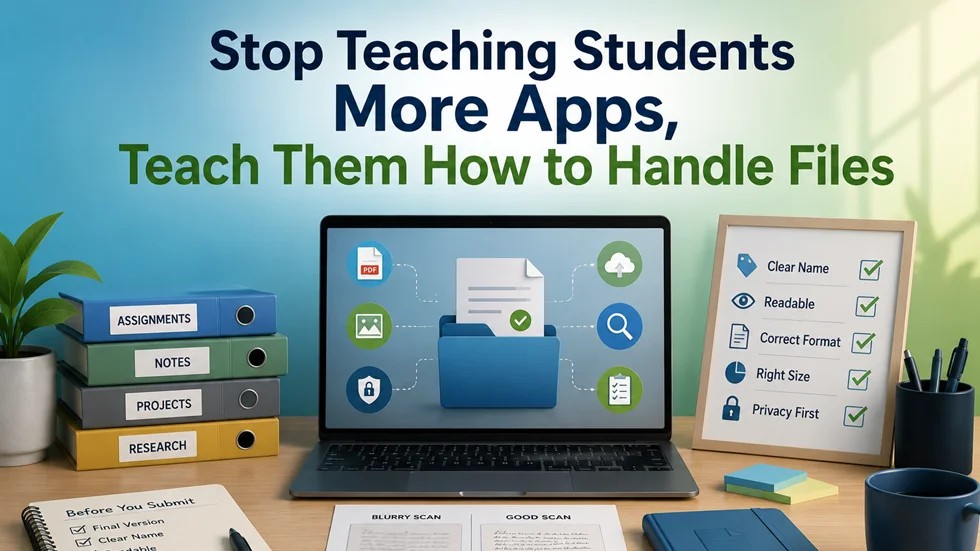
Ten minutes. That’s all. Put it in orientation. Hide it in the assignment brief. Show them the blurry scan next to the clean one. Explain why the filename matters. Demonstrate that “Final_Draft.docx” is worse than a name that actually helps the grader find it.
Teach them to look at the task before picking the tool.
A Checklist for Sanity
Before hitting send, a student should run through this. It’s not glamorous, but it works.
- Is this actually the final version?
- Can anyone guess what the file is by the name alone?
- Is the text actually selectable?
- Will the server reject it due to size?
- Is private data exposed?
- Does the receiver need extra steps just to read it?
Useful is underrated. It beats impressive.
We Are Wrong About “Native” Users
Stop assuming digital natives know this because they swipe screens all day.
Using Instagram fluently has zero correlation with handling a formal academic PDF. Workflow is learned. If you don’t teach it, students improvise. They copy whatever hack worked once. Even if that hack is disastrous.
Same for the institution. Vague instructions create vague results. Abstract privacy warnings create actual leaks.
The Bottom Line
EdTech can keep building rockets. That’s fine. But stop treating the runway as invisible.
A student who masters five apps but cannot submit a proper file is still unprepared. A teacher fixing files is a failure of process, not personnel.
Maybe the most important digital skill isn’t learning the newest app. Maybe it’s handling the boring file on your desktop.
Respect the basics.